


MaxNovel: Endless Web Novels
3.432.00 Reviews
App Specs
- Version
- 1.1.2
- Updated On
- License
- Free
- Downloads
- 100,000+
- Developer
- Feel Refreshed Studio Limited
- Categories
- Entertainment
- Platform
- Android
Screenshots
 Analysis by AppCompare
If you’re a bookworm like me, you’re probably always on the hunt for the next great read. Well, guess what? There’s an app that might just satisfy your literary cravings. Let me introduce you to MaxNovel: Endless Web Novels. This app is a treasure trove of stories, and I dove right in to explore what it has to offer.
Choosing a story that fits the moment
I’d reach for MaxNovel when I wanted a continuing story rather than a short, self-contained read: a few chapters while waiting for an appointment, or a longer stretch on the sofa when I had time to settle in. It is an entertainment app from Feel Refreshed Studio Limited, aimed at readers who enjoy web novels and like having a steady stream of fiction to explore.
The practical first step is to treat the home screen as a starting point, not a verdict. Recommendations can help you spot a title, while search is more useful when you already have a genre or premise in mind. I’d give a new story a brief trial before committing to it; a promising cover or blurb cannot tell you whether its pacing and writing style will suit you over many chapters.
That distinction matters with serialized fiction. A story can be enjoyable in short bursts but less satisfying if you prefer a complete arc in one sitting. I’d use the app for a commute or a quiet break when stopping between chapters is easy, and choose an ebook with a finished ending when I wanted a story I could complete on my own schedule.
What is MaxNovel?
Picture this: a library that fits right in your pocket, filled with web novels spanning every genre imaginable. From romance to fantasy, thriller to comedy, MaxNovel serves up a buffet of stories that are literally endless. The app is available on both Android and iOS, so no worries if you switch between platforms like I do.
Exploring the Interface
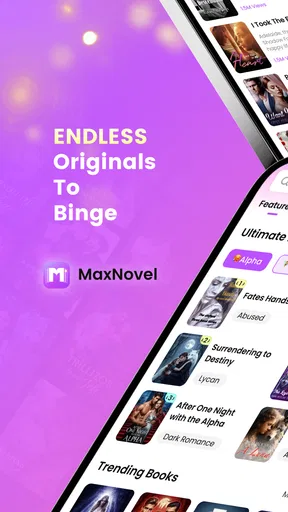
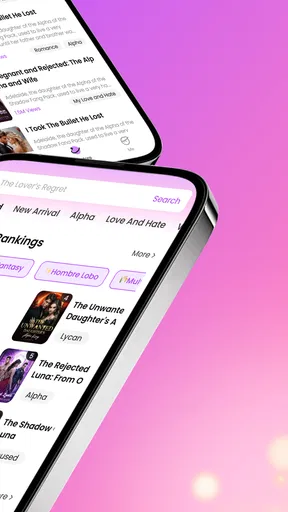
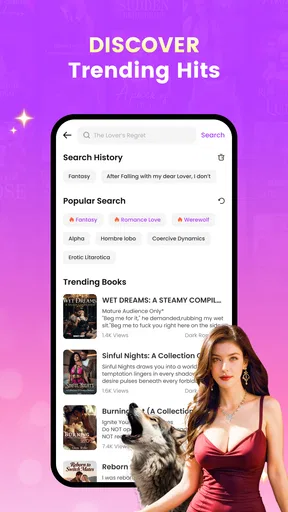
First impressions matter, right? The app’s interface is sleek and user-friendly, making it easy to navigate through thousands of novels. Upon opening, you’re greeted with a homepage that showcases trending novels and recommendations based on your reading habits. It’s like Netflix, but for books. Plus, the search function is a breeze to use, helping you find exactly what you’re in the mood for in seconds.
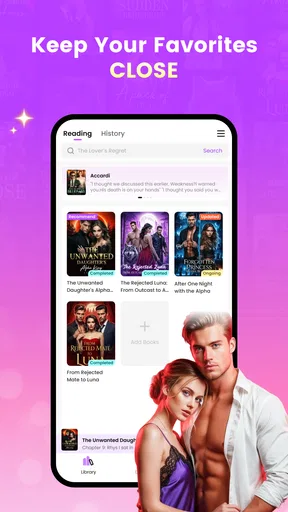
The personalization doesn’t stop there. You can create a library of your favorite novels, and the app will notify you about updates or new chapters. It’s like having a personal librarian who’s on top of their game.
Worth Reading Before You Choose

EA SPORTS FC Mobile 26 Is a Bigger Football Game, but It Takes Time

Flipboard Shows What News Apps Must Do Beyond the Feed

Switching to Android Auto Means Rethinking Your Driving Routine

Google Calendar Makes a Crowded Week Easier to Manage

Ludo King Makes the Most of the Minutes Between Plans

Baby Panda World Brings Quick Play to Modern Phones, but Its Game Library Feels Busy
Turning a find into a reading routine
Once I’ve picked a novel, I’d save it to the library rather than rely on memory or try to rediscover it through recommendations. That small habit is especially useful if I’m sampling several stories at once: the library becomes a deliberate shortlist, while the homepage remains a place to browse. Notifications can then help me notice a new chapter, but I’d keep them useful rather than letting every update interrupt work or time with other people.
A realistic routine might look like this: I find a fantasy serial during a lunch break, read a few chapters, and save it before closing the app. Later, on a train with unreliable reception, I can use downloaded chapters if I have prepared them beforehand. When I’m back online, I can check for updates and decide whether the story still deserves a place in my reading queue. That preparation is the key trade-off: offline reading helps with connectivity, but it works best when I remember to download chapters in advance.
Diving into the Content
Now, onto the juicy part: the novels themselves. The catalog is described as broad and continually updated. Whether you’re into heart-stopping thrillers or heartwarming romances, there’s something here for everyone. I found myself lost in a fantasy saga that kept me glued for days. The stories are well-written, and it’s evident that the authors put a lot of passion into their work.
One cool feature is the ability to read offline. You can download chapters to read later, which is perfect for those long commutes or when you find yourself without Wi-Fi.
Where the reading flow can snag
Free access lowers the barrier to trying the app, but it does not mean every part of a reading session will be free. MaxNovel includes in-app purchases priced from $4.99 to $99.99 per item, so I’d check the cost attached to a chapter or novel before getting invested in a paid path. If I want to avoid unexpected spending, I’d decide on a budget first and pause at any purchase prompt rather than treating it as a routine next-chapter button.
There is also a useful difference between discovering a title and knowing whether it will satisfy me. A recommendation can be a good lead, but I would not assume that every novel will match my taste or maintain the same appeal over a long run. The average rating is 3.3 from 167 ratings, a mixed signal that makes me more inclined to sample carefully than to choose a story solely because it appears prominently.
The app is rated for teens, which is a helpful starting point for families, but I would still consider the subject matter of an individual novel before recommending it to a younger reader. An age rating for the app does not tell me whether every story will suit every teen, so choosing together is the sensible approach when content matters.
The Social Element
Reading doesn’t have to be a solitary activity. The app includes a social element, allowing readers to discuss novels. You can leave comments, join discussions, and connect with authors. It’s a community where you can share your thoughts and theories, making the reading experience more engaging.
For me, discussion works best after I’ve read the relevant chapter. That avoids spoiling a reveal for myself and gives me something specific to contribute, rather than browsing comments before I know the story. The handoff from reading to conversation can be part of the fun, but it also asks for a little restraint: if I’m sensitive to spoilers, I’d keep clear of discussions until I’m caught up.
How it compares with other ways to read
Compared with a conventional ebook reader, MaxNovel is oriented toward serial fiction and following stories as they continue. That can suit someone who enjoys returning to an ongoing plot and browsing for another web novel. A traditional ebook is often the better choice if I want a clearly packaged, complete book, a focused reading experience, or a title I already know I want to read.
It also differs from reading fiction on a general social or publishing platform: here, the attraction is the dedicated novel-reading experience and the ability to keep stories in a library. But readers who mainly want to discover independent writing through broad community feeds may prefer a platform built around that kind of browsing. I would choose based on the habit I want to support, not on the assumption that one app replaces every kind of reading.
On Android, the current version is 1.1.2 and requires Android 6.0 or later. The app is free to install and has more than 100,000 installs, which gives a new reader a reasonable sense that it has found an audience without guaranteeing that every title or interaction will be a personal fit. Its 30 written reviews are another reason I’d use my own trial period to judge the experience rather than expecting a rating to settle the decision.
In-App Purchases and Ads
Here’s the deal: while the app itself is free, some novels or chapters might require in-app purchases. It’s a common model in free reading apps, but it’s always nice to have a heads-up. Also, there are ads, but they’re not overly intrusive. A small price to pay for the vast library at your fingertips, I’d say.
Who will get the most from it?
I’d recommend MaxNovel to readers who like serialized stories, want an easy way to keep a personal list of novels, and enjoy checking back for new chapters. It is especially convenient if you often read in short sessions and can plan ahead for stretches without internet access. The combination of browsing, a saved library, update notifications, and offline chapters supports that pattern better than a simple file reader does.
I would steer away from it if I were looking for a guaranteed ad-free experience, wanted to avoid any possibility of in-app spending, or preferred complete books with no waiting for further chapters. Readers who dislike social comments or want a tightly controlled reading list may also be happier with a straightforward ebook app. Those are not reasons that make MaxNovel useless; they are signs that its ongoing, discovery-led format may not fit everyone.
Final Thoughts
So, should you download MaxNovel: Endless Web Novels? I’d say it is worth trying if web fiction is already your kind of reading and you are comfortable checking costs as you go. The free starting point makes it easy to explore, while paid items, ads, and a mixed average rating are good reasons to approach it with realistic expectations rather than assume every story will be a hit.
Go ahead, give it a try, and immerse yourself in the world of web novels. Who knows? You might just find your next favorite story.
Pros
- Extensive library of diverse genres.
- User-friendly interface for easy navigation.
- Regular updates with new content.
- Offline reading mode available.
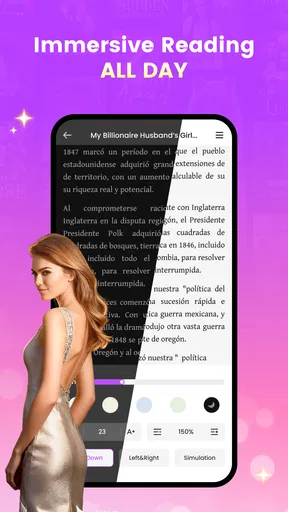
- Customizable reading preferences.
Cons
- Contains ads in the free version.
- Requires internet for initial download.
- Limited free chapters per day.
- Some stories require in-app purchases.
- Occasional loading delays reported.
FAQs for MaxNovel: Endless Web Novels
What is MaxNovel: Endless Web Novels?
MaxNovel is a mobile app offering a vast library of web novels across various genres. It provides readers with an endless stream of stories, including romance, fantasy, mystery, and more. The app is designed for both Android and iOS, catering to avid readers who enjoy exploring new narratives and engaging with a community of fellow book lovers.
How can I download and install MaxNovel on my device?
MaxNovel is available for download on both the Google Play Store for Android devices and the Apple App Store for iOS devices. Simply search for 'MaxNovel: Endless Web Novels,' select the app, and tap 'Install.' Ensure your device meets the app’s system requirements for a smooth installation process.
Does MaxNovel require a subscription or in-app purchases?
MaxNovel offers a freemium model where users can access a selection of novels for free. To unlock premium content, users may need to subscribe or make in-app purchases. These often include bundles of coins or passes that allow access to exclusive chapters or ad-free reading experiences.
What are the standout features of MaxNovel?
MaxNovel boasts features like personalized recommendations, offline reading, and a user-friendly interface. It also includes community features where users can comment on chapters and interact with other readers. The app supports multiple languages, enhancing its accessibility to a global audience.
Is MaxNovel suitable for all age groups?
MaxNovel offers content that spans a wide range of genres, some of which may include mature themes. It is advisable for parents to review the app’s content and settings to ensure suitability for younger readers. The app often provides content ratings to guide users in selecting appropriate material.


